Online cookbook maker

Bring recipes in from websites, screenshots, apps, or handwritten cards, organize them into chapters, design the cover, and export a print-ready PDF of your cookbook.
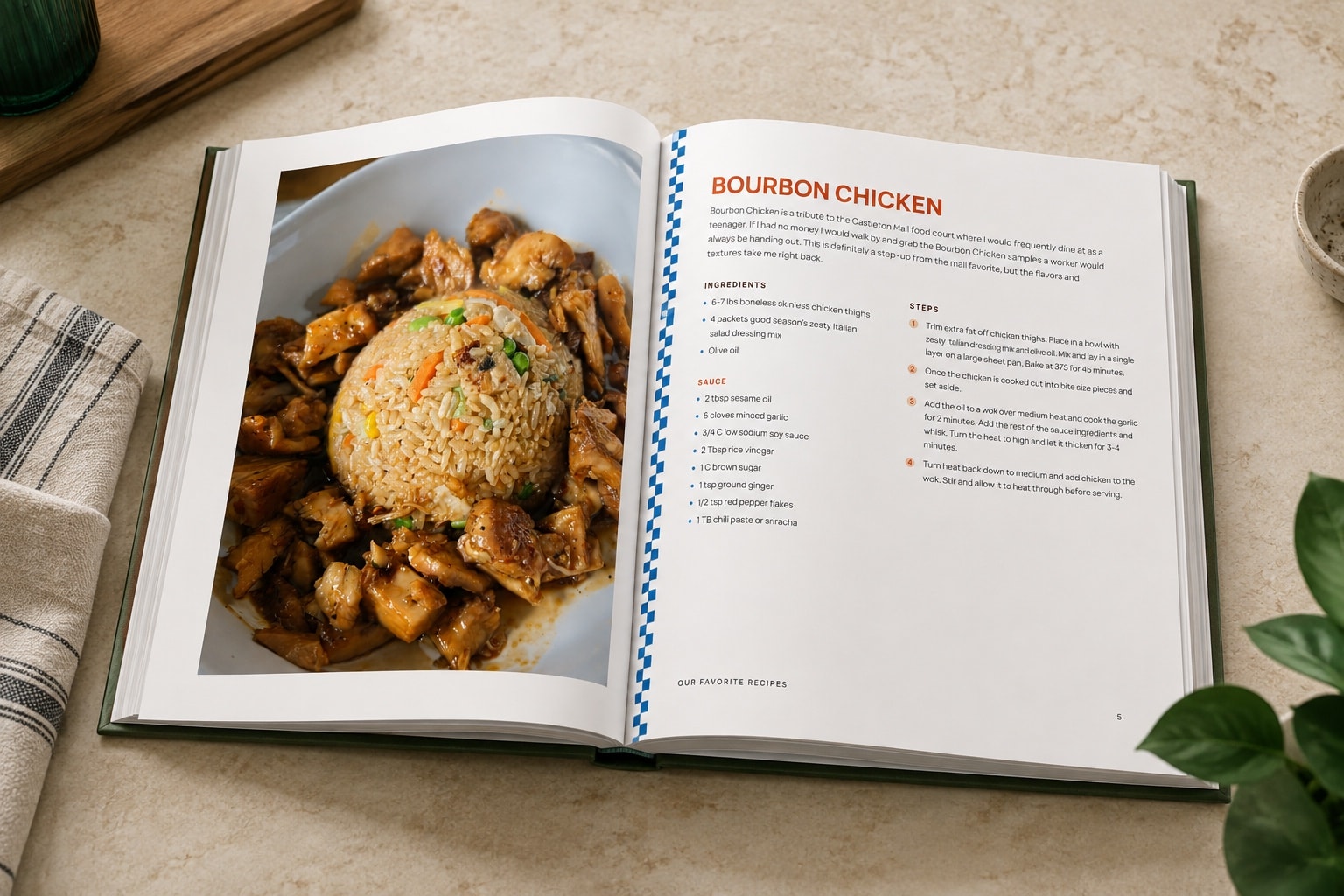
A finished hardcover family cookbook lying open on a counter, a full-page photo facing the typed recipe.

How the cookbook maker works

  1. 1

    Add recipes from anywhere

    Add recipe links, screenshots, handwritten cards, pasted text, or recipes from apps, and each one becomes an editable recipe, no retyping needed.

  2. 2

    Build chapters

    Create and name chapters, put them in order, and move recipes between them as your book takes shape.

  3. 3

    Edit every recipe and page

    Fix any recipe, add notes and photos, and rearrange as you go, while the table of contents and page numbers update on their own.

  4. 4

    Export a print-ready cookbook PDF

    Download the finished file, then make copies at home or have a shop bind it into a book.

Turn links, photos, and screenshots into recipes

Start with the recipes you have today and add the rest as you find them. Each link, photo, handwritten card, screenshot, or pasted recipe becomes a recipe you can edit as the book comes together.

That makes it easy to bring recipes from completely different places together in one consistent book.
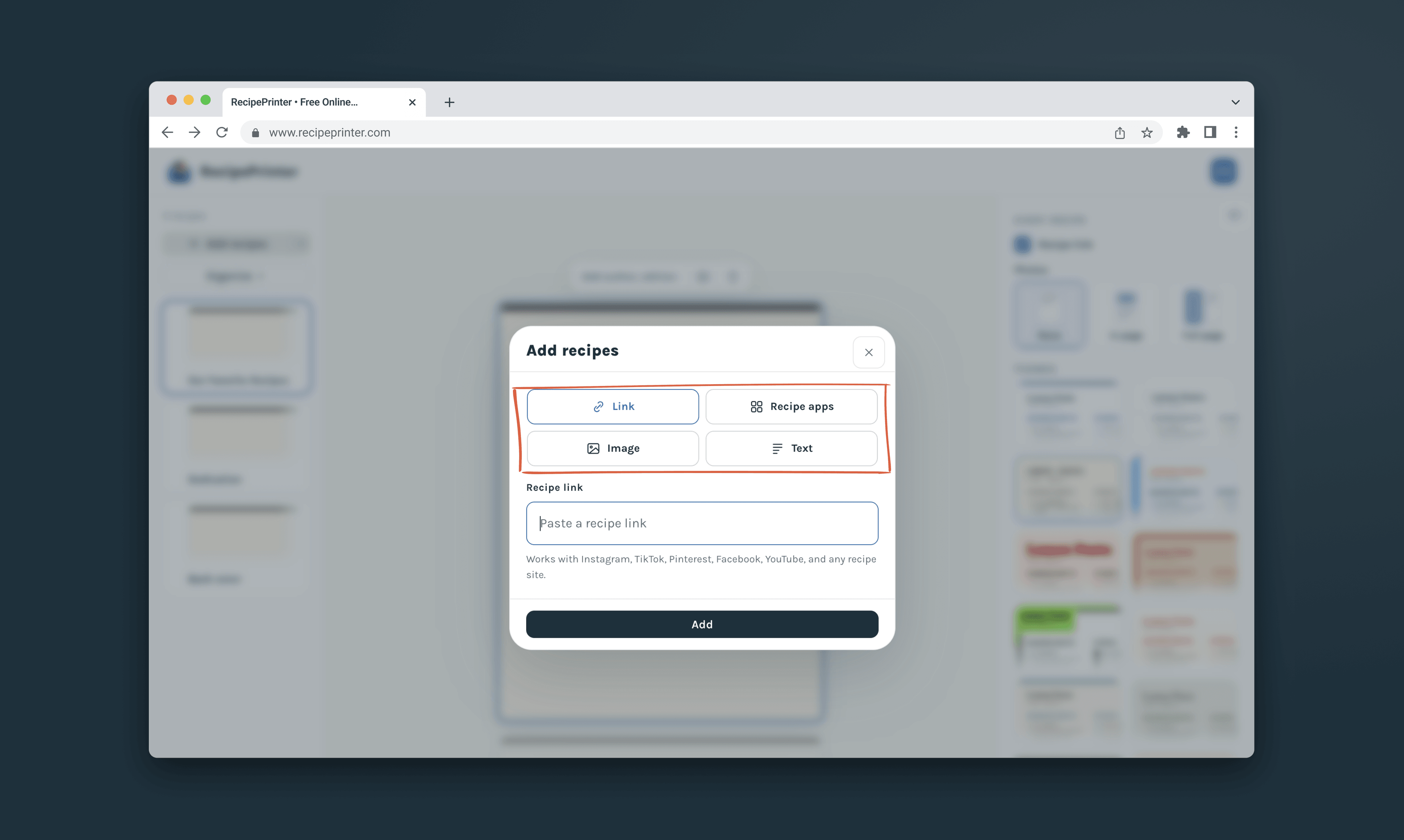
The Add recipes dialog in a cookbook, with its four sources circled: a recipe link, a recipe app, an image, or pasted text.

Design the whole book

Choose from more than a dozen themes, from clean and modern to a cream-stock keepsake look, plus a seasonal Christmas theme. The theme carries through the cover, chapter openers, and every recipe page.

Add your own cover photo and title, give each chapter opener its own photo, and switch themes at any point.
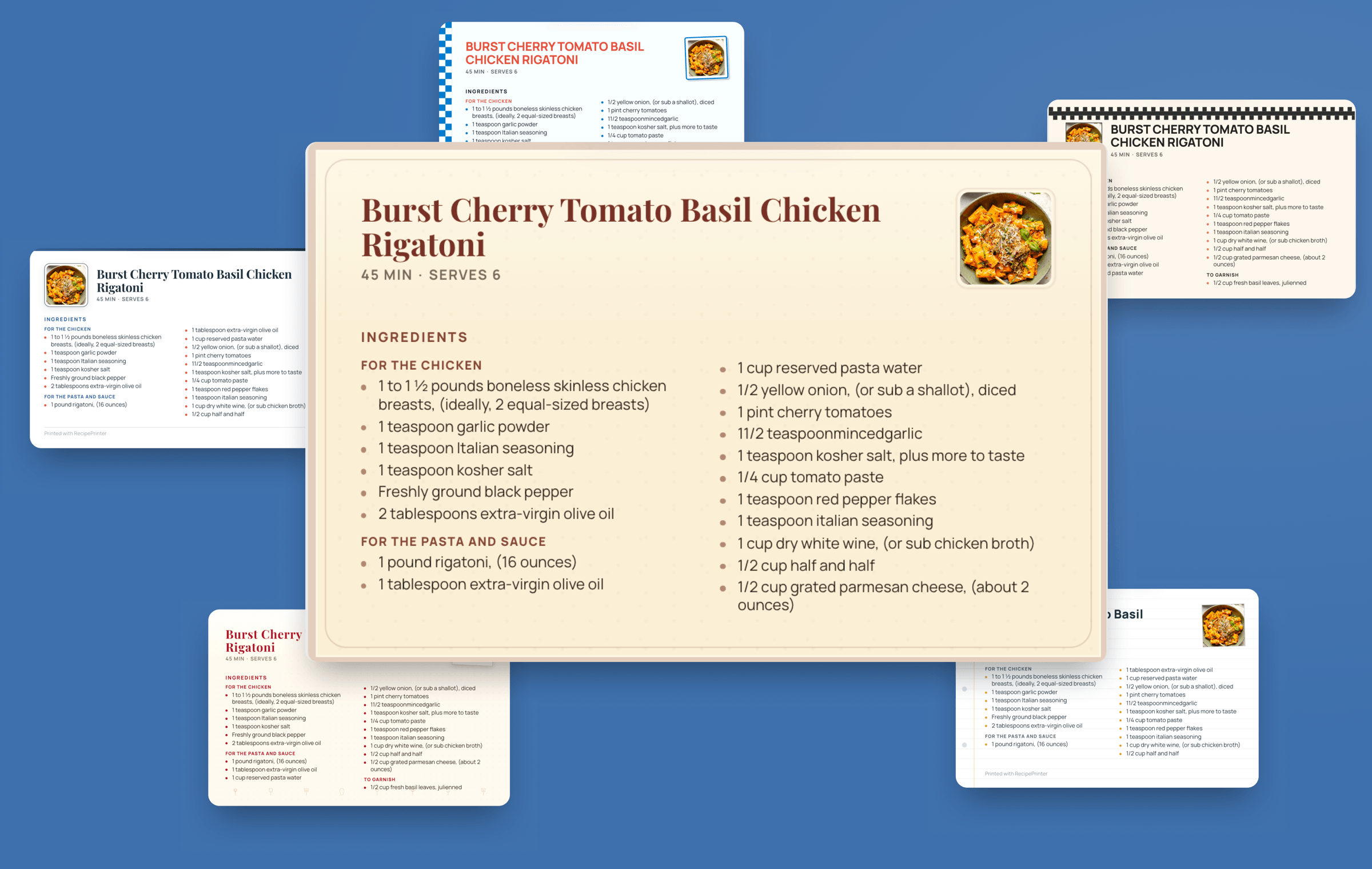
One recipe printed as six cards in six different print themes, each with its own typeface, border and color.

Print-ready formats, including hardcover

Download US Letter for a home printer, or full-bleed files for a coil-bound or hardcover book at US Letter or 8 × 10. Formats for print services come with a separate cover file sized to your book's spine, ready for services like Lulu.
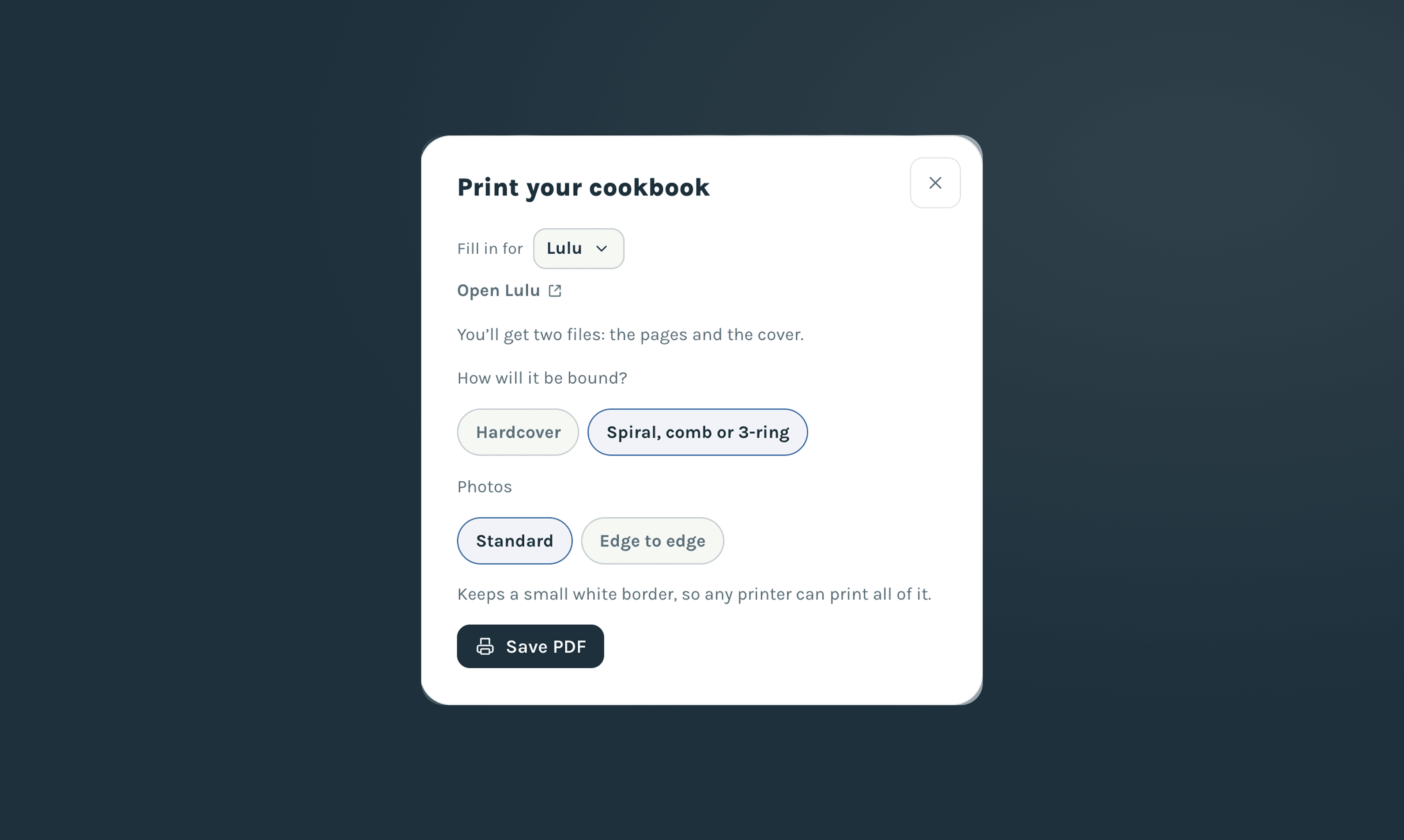
The Print your cookbook dialog set up for Lulu: two files, the pages and the cover, with a choice of hardcover or spiral binding and standard or edge-to-edge photos.

Build it free, pay $19.99 when you download

Building and editing your cookbook is always free. When it's ready, pay $19.99 once to download the PDF, and download updated copies anytime at no extra cost.

RecipePrinter creates the PDF; you can print it at home or send the finished file to a printing service of your choice. A free RecipePrinter account is required to download the cookbook.
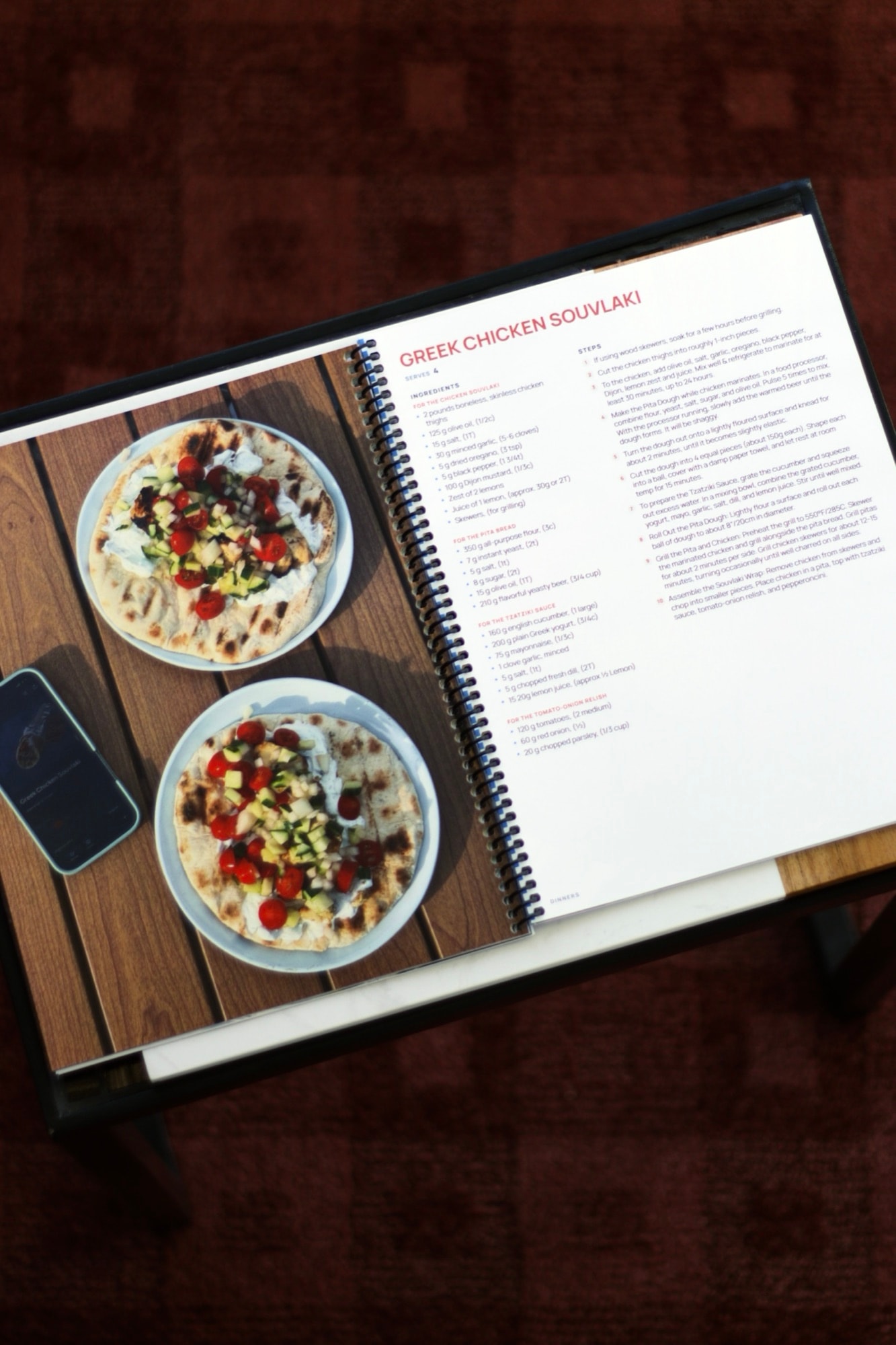
A finished spiral-bound cookbook open to a formatted recipe and food photograph.

“I’ve been working on making a cookbook in Canva for 10 months, and was able to do it on RecipePrinter in less than a week!”

Lacey

Cookbook maker questions

What can I import into the cookbook maker?

Recipe links from any website, photos and screenshots, handwritten recipe cards, pasted text, and recipes saved in Paprika or CookPilot. Each one comes in as a recipe you can edit.

Can I organize recipes into chapters?

Yes. Add and rename chapters, reorder them, and move recipes between sections as the cookbook changes.

Does it create a table of contents and page numbers?

Yes. RecipePrinter builds the table of contents and page numbers from the cookbook's current recipe and chapter order.

What sizes can I print?

US Letter for printing at home, and US Letter or 8 × 10 for coil-bound and hardcover books from a print service.

Does it make a cover for a print service?

Yes. For the print-service formats you also get a separate cover file sized to your book's spine, using the cover size your printer gives you.

Can I customize the cookbook cover?

Yes. You can edit the cover title and choose its design and image. Cover options depend on the current cookbook templates.

Does RecipePrinter print and ship the book?

No. RecipePrinter creates the cookbook PDF. You can print it at home or upload the finished file to a professional printing service of your choice.

Do I need RecipePrinter Pro?

No. Cookbook purchases and RecipePrinter Pro are separate. Pro covers other RecipePrinter features and doesn't include cookbook export.

How much does the cookbook maker cost?

$19.99 once per cookbook, paid when you download the PDF. Editing is free before and after, and downloading an updated copy costs nothing extra.

Can I edit my cookbook after I buy it?

Yes. After purchasing a cookbook, you can continue editing that cookbook and export updated versions later.