
Make a cookbook from your Paprika recipes
Your Paprika library already holds the recipes you cook. Open its export in RecipePrinter, sort the recipes into chapters, add a cover, and download a print-ready cookbook for your kitchen, your family, or a gift.
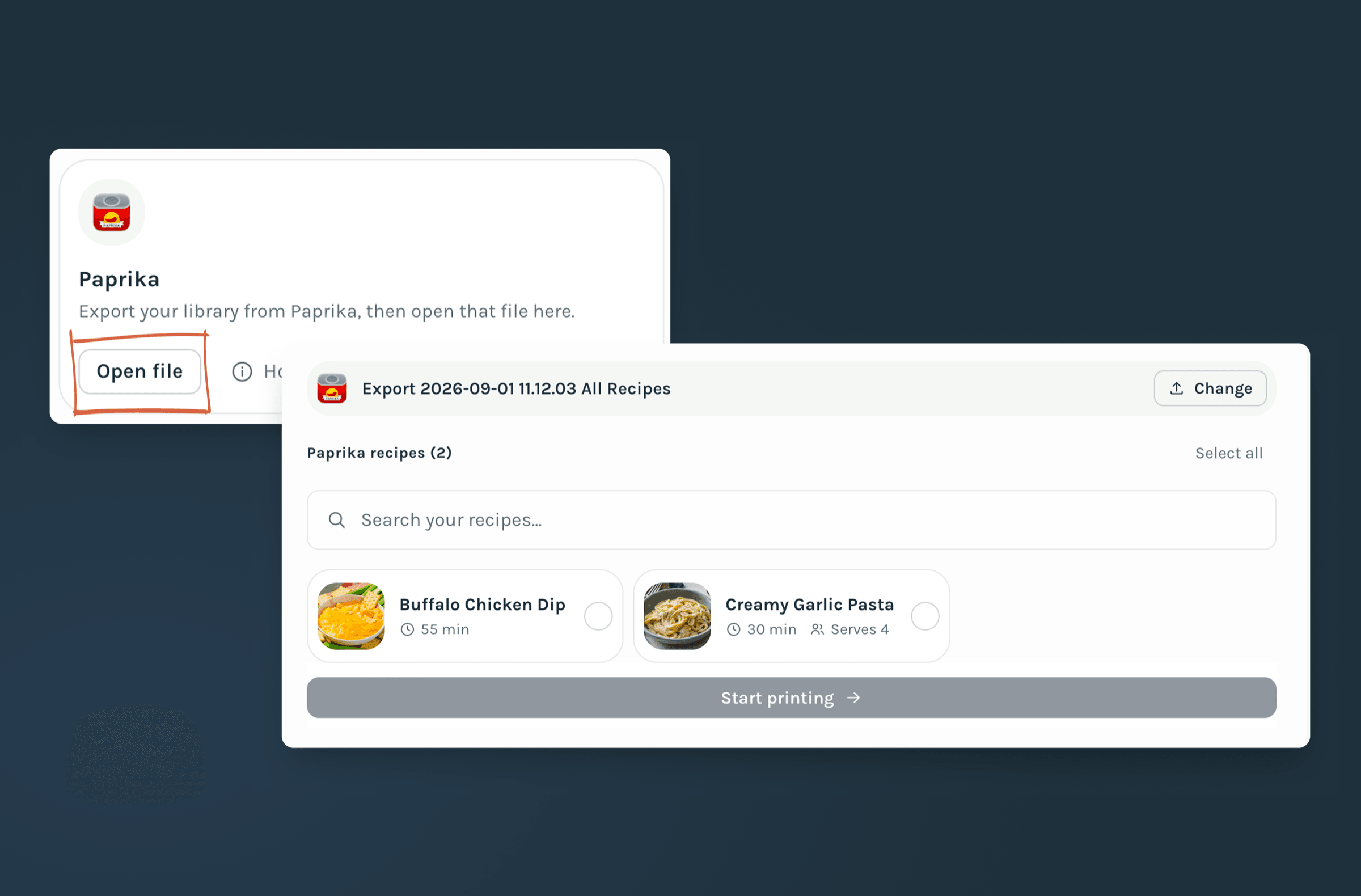
How to turn Paprika recipes into a cookbook
- 1
Export from Paprika
In Paprika, open Settings → Export Recipes, choose the Paprika Recipe Format, and export your whole library or just the recipes you want in the book.
- 2
Open the export in your cookbook
Start a cookbook, choose Add recipes, then Recipe apps and Paprika, and pick the .paprikarecipes file. It's read in your browser.
- 3
Choose recipes and build chapters
Tick the recipes you want, then name your chapters, put them in order, and move recipes between them until the book follows the way you cook.
- 4
Add a cover and download the PDF
Pick a theme, set the cover title and photo, look over every page, then download the cookbook to print at home or send to a print shop.
Your Paprika recipes come in ready to edit
RecipePrinter reads the title, ingredients, instructions, prep and cook time, servings, source, and notes from your Paprika export, so nothing gets retyped. A recipe with a photo in Paprika brings it along, and the photo appears in your cookbook.
Every recipe stays editable once it's in the book, so you can tidy a title or add a line about who made it before anything is printed.
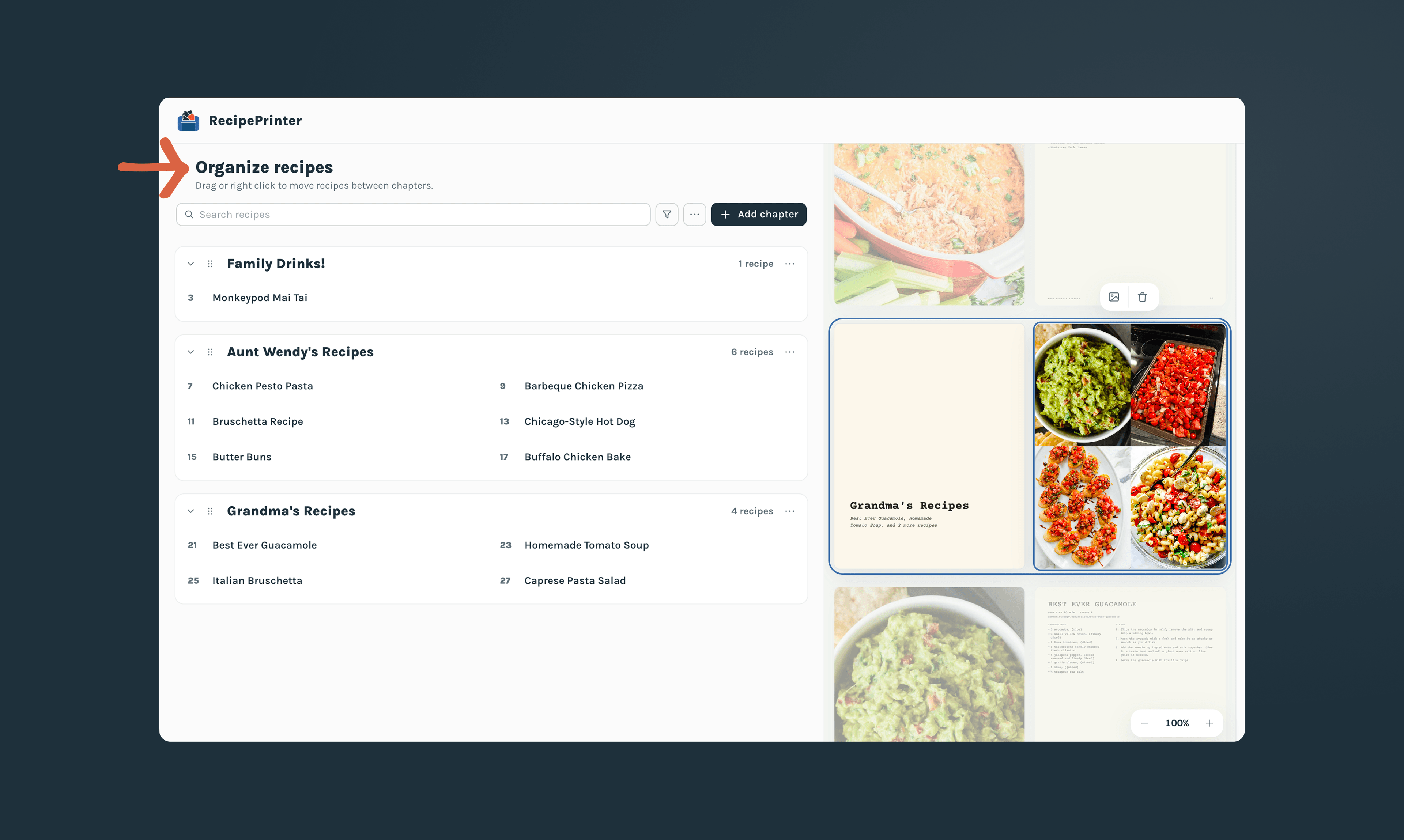
Sort a big library into chapters
A Paprika library can hold hundreds of recipes, and a cookbook reads better with a shape. Make chapters by course, by season, or by the person each recipe came from, and move recipes between them whenever you like.
The table of contents and page numbers follow every change. You don't need the whole library either: pick the recipes worth keeping and leave the rest in Paprika.
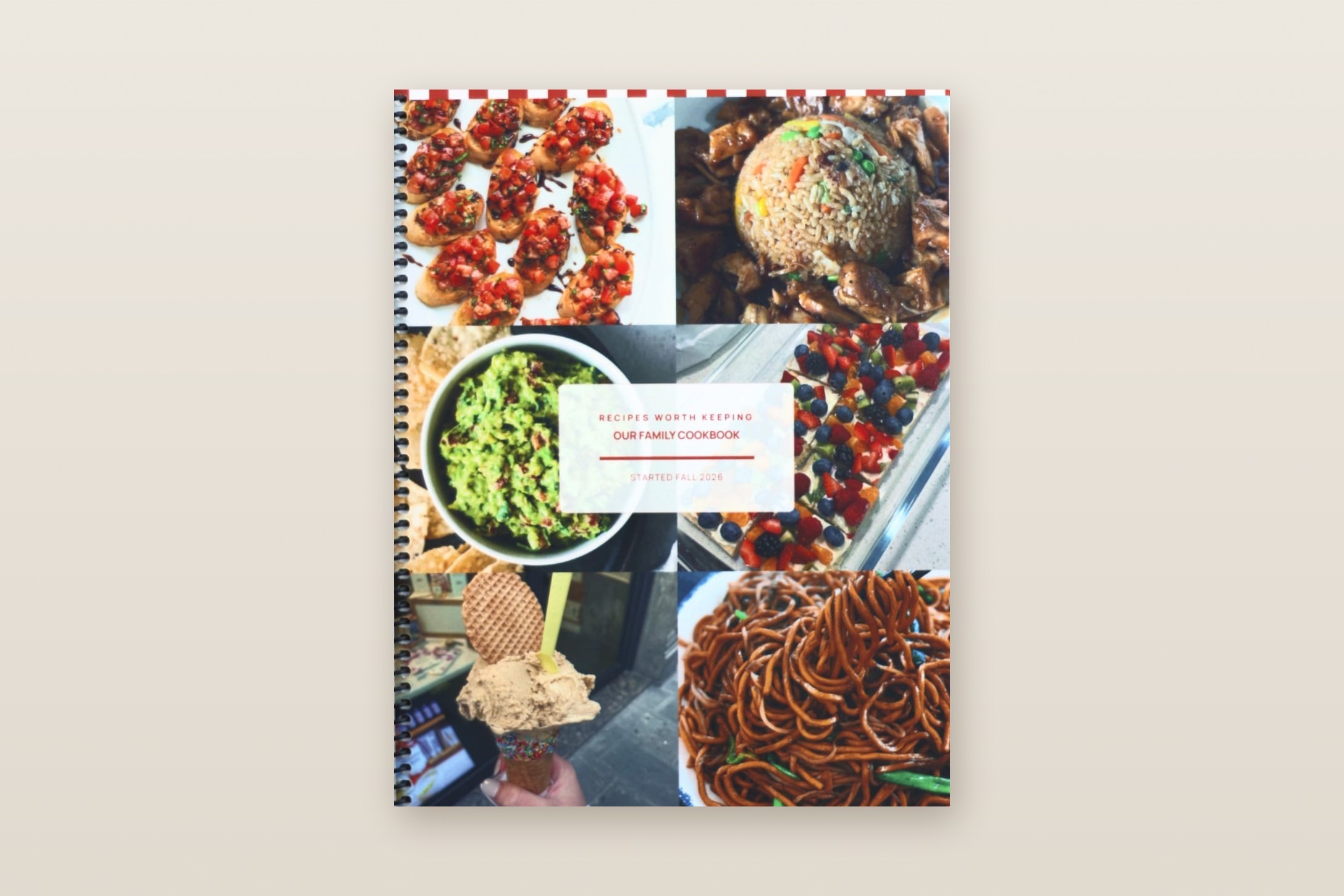
A cover, a theme, and pages that match
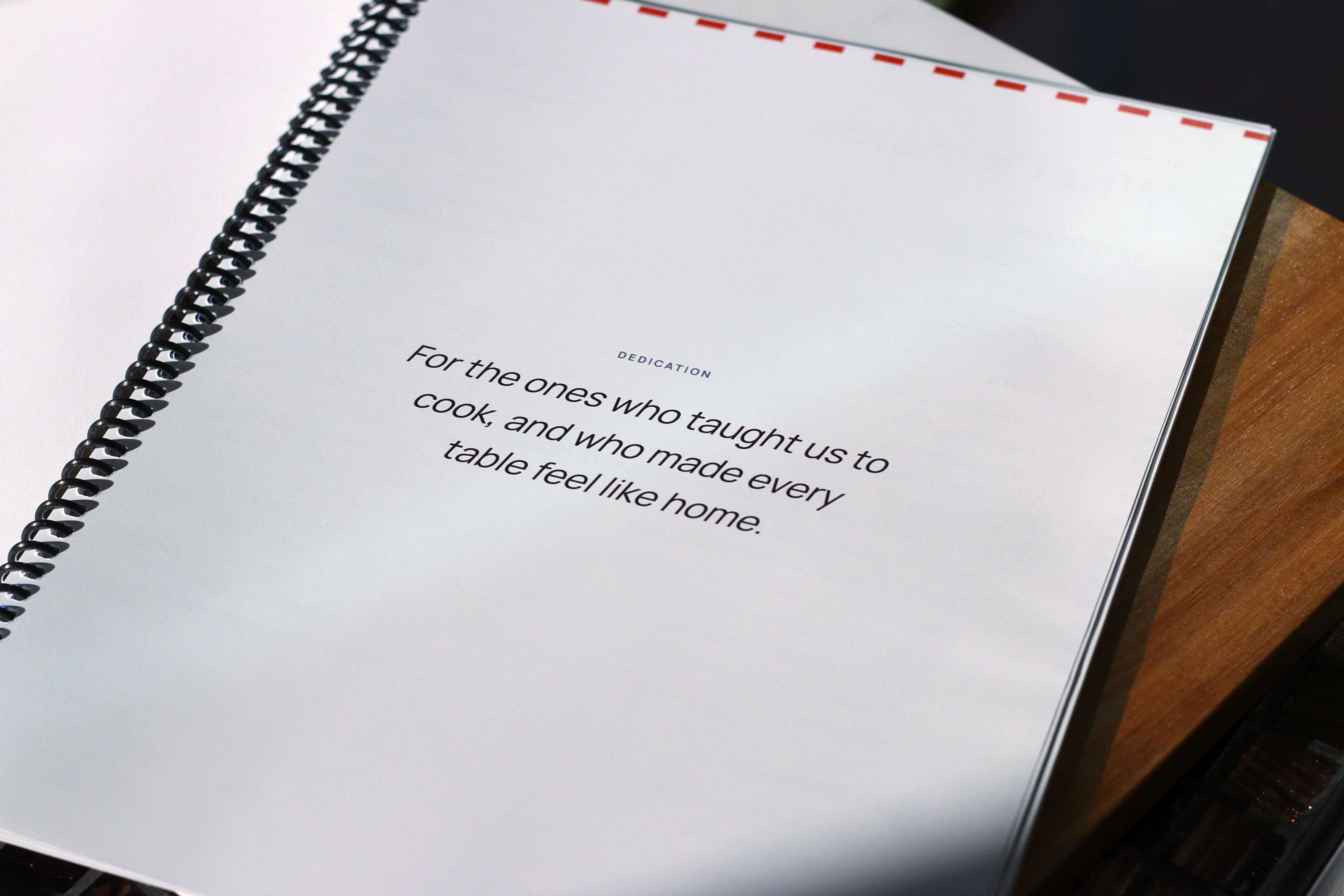
Give the book a title and a cover photo, choose from more than a dozen themes, and add a dedication at the front. The theme carries through the cover, the chapter openers, and every recipe page.
Recipes you saved to Paprika from a dozen different websites end up looking like one book.
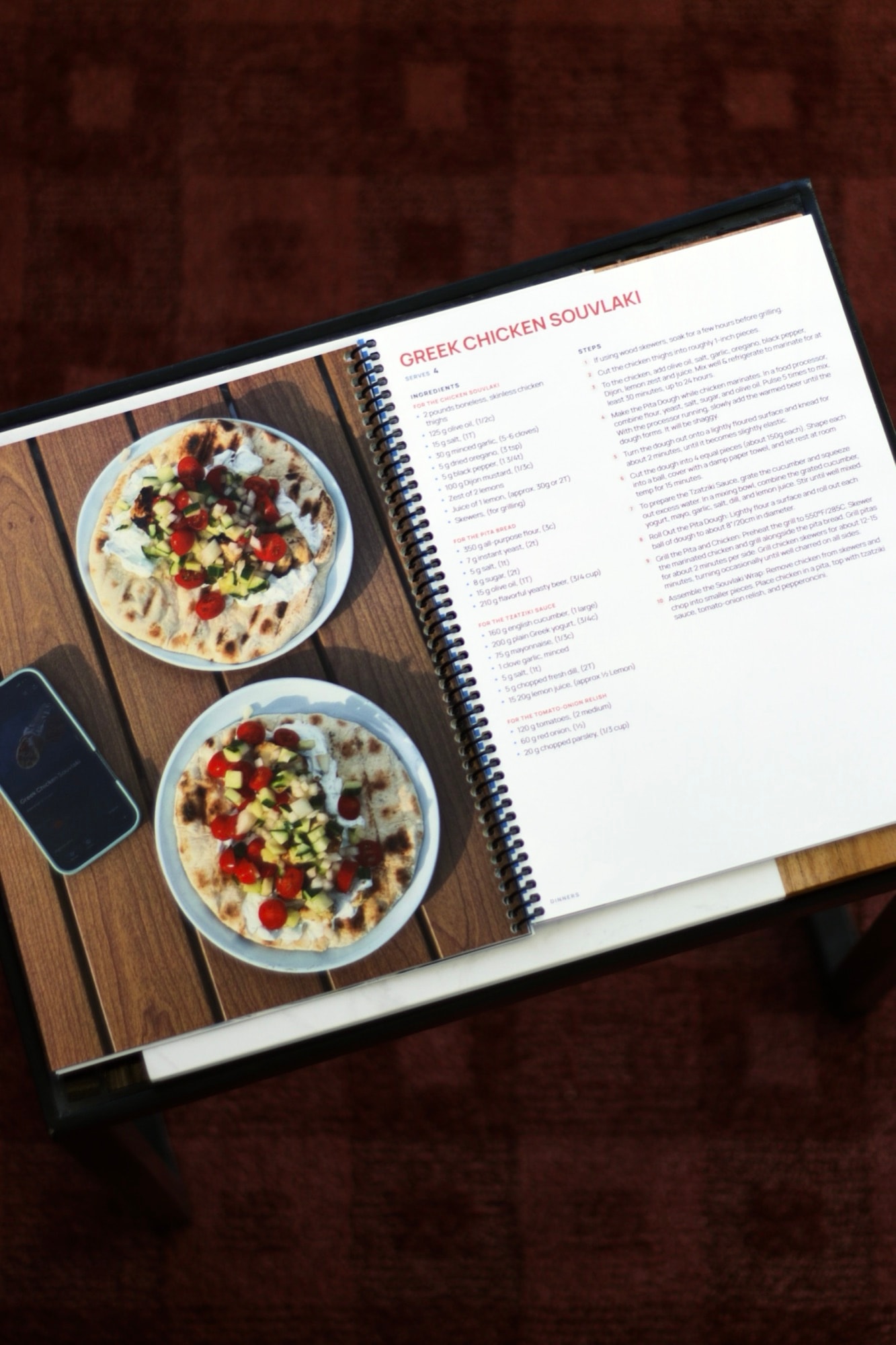
For a family cookbook, your own shelf, or a gift
Keep a printed copy of the recipes you've collected in Paprika in the kitchen, gather your family's favorites into one book, or give a cookbook to the person who's always asking for your recipes.
Build and preview free, pay $19.99 once to download
Building and previewing your cookbook is free with up to 10 recipes. Pay $19.99 once for that cookbook to download the PDF or add more than 10 recipes, and download updated copies anytime at no extra cost.
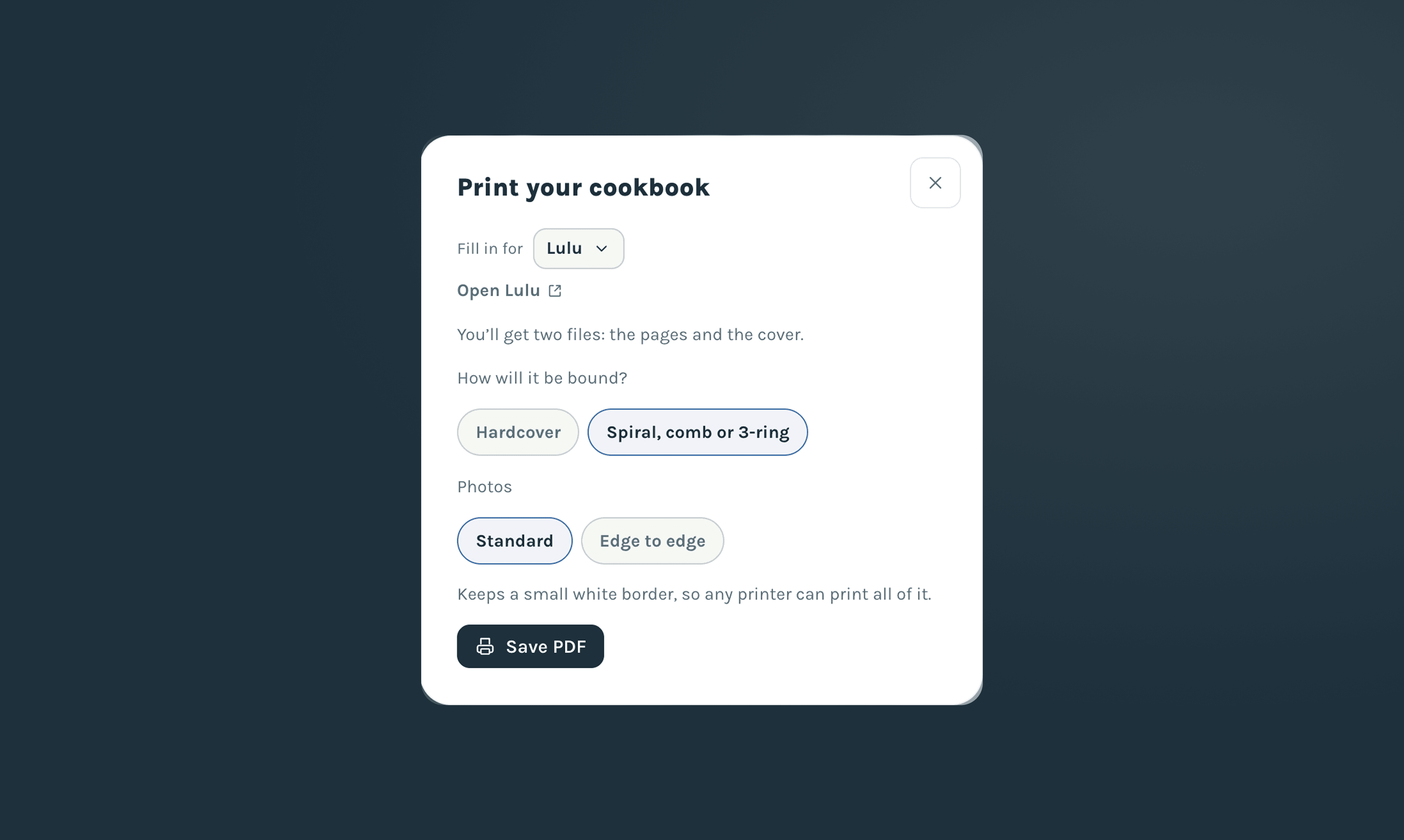
Download US Letter for a home printer, or files for a spiral-bound or hardcover book from a print service, with a cover file sized to your book's spine.
A free RecipePrinter account is needed to download. RecipePrinter Pro isn't required.
“I’ve been working on making a cookbook in Canva for 10 months, and was able to do it on RecipePrinter in less than a week!”